Schedules you can see being built.
Primavera P6 activities linked to a 3D construction model, and custom reporting software built around your own data and reporting workflow. The demonstrations are examples of capability, not fixed products.
Explore Interactive 4D ModelSee the reporting demos
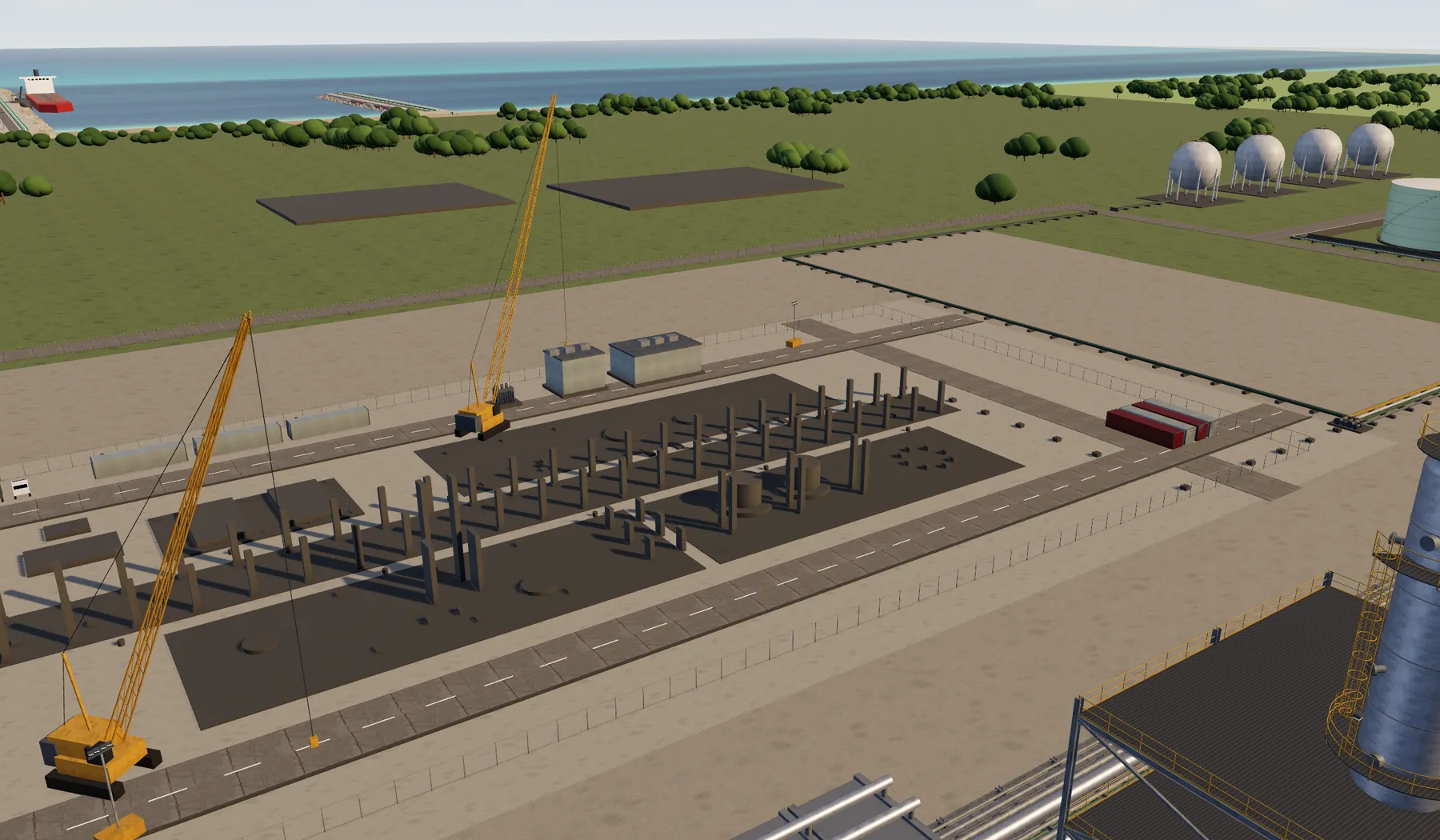
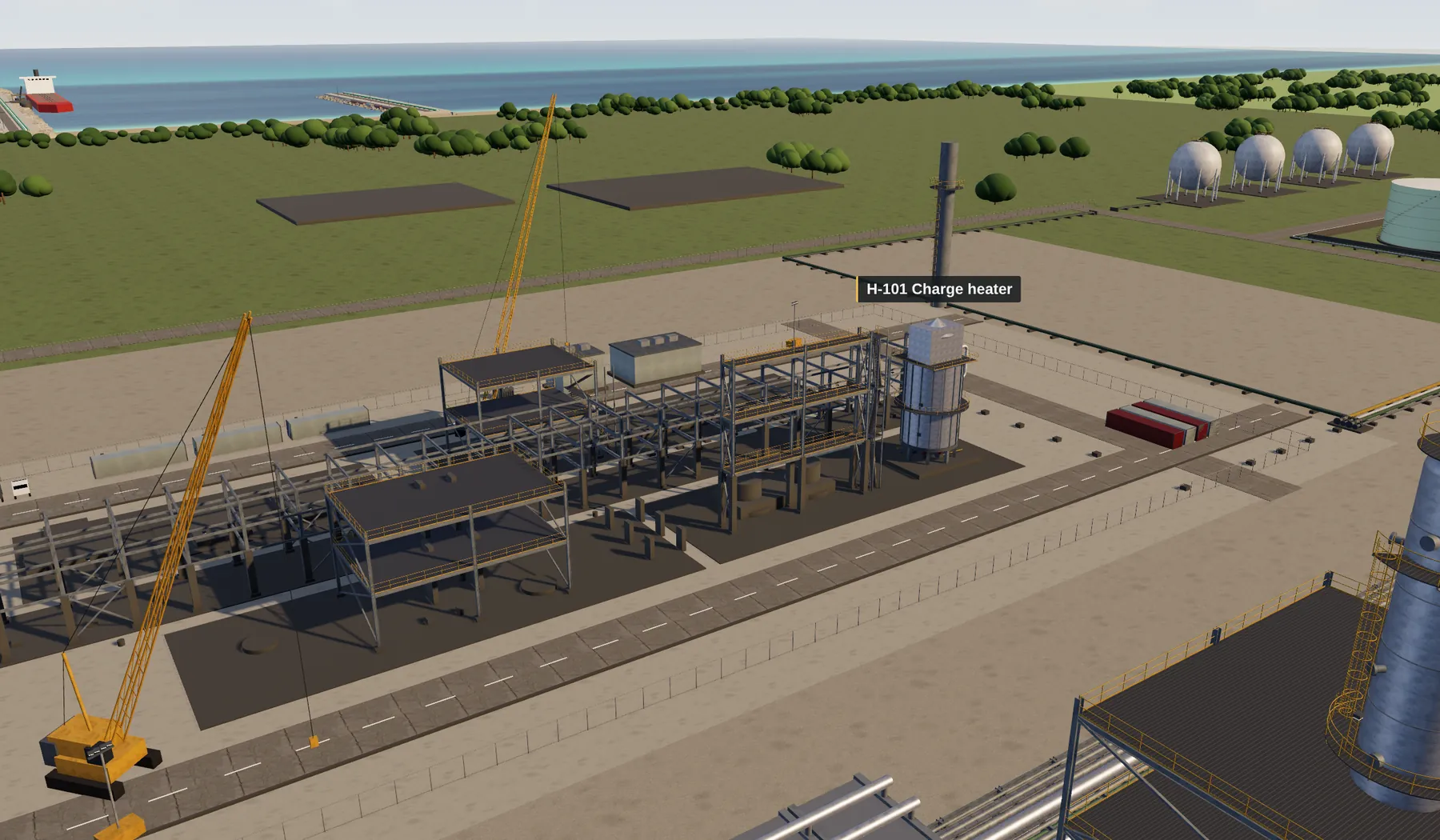
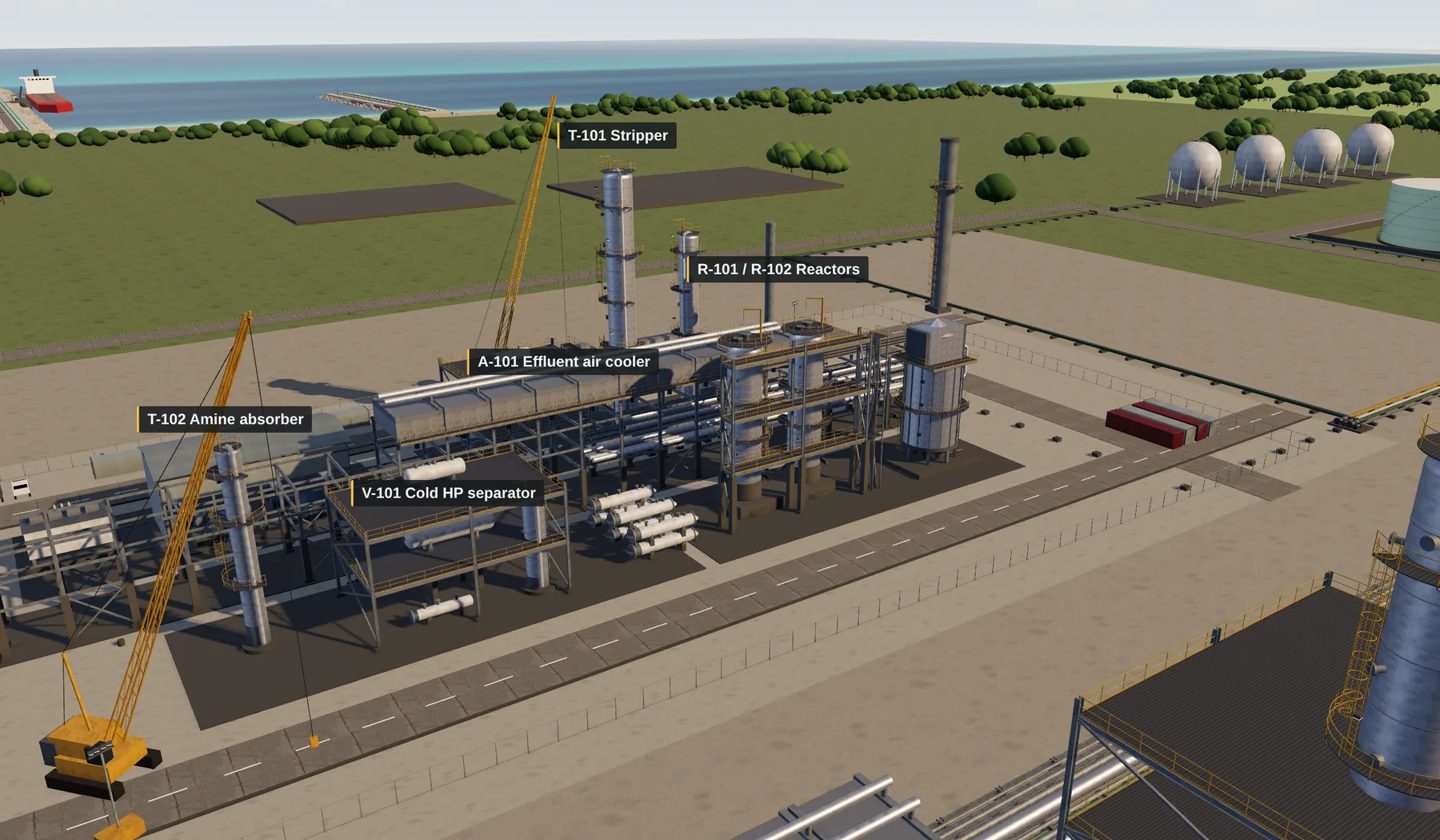
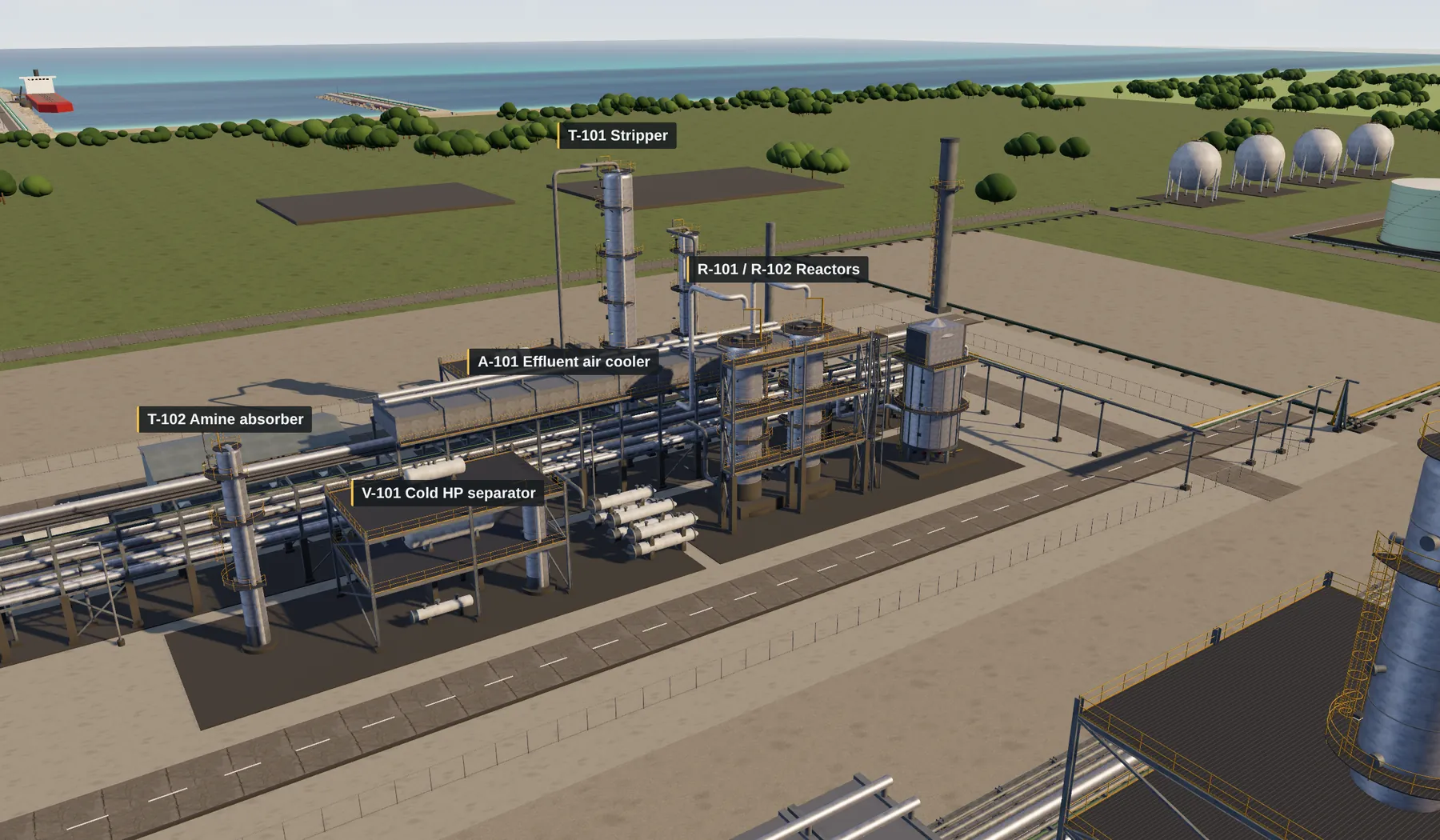
4D Simulation
Show the model as the original baseline, the previous update or the current update at any date, and compare them. Select an activity to find its geometry, or an object to find its activities.
A demonstration on a fictional facility with a synthetic schedule. The model and schedule are bundled with the page; nothing is loaded from visitors. Models are for planning and communication, not engineering design.
4D construction video: offshore production module
Ninety seconds of a fictional topside module built in a fabrication hall against its schedule: foundations, frame and decks, the heavy lift of the production separator, compressors, piping, cable trays, outfitting and pre-commissioning. The schedule is shown as a sequence of weekly updates. Each update sets a new data date, the reporting cutoff the schedule was statused to; the Activities table, the bars and the blue data-date line refresh to that update, and the model then builds out the work reported through it.
Fictional module and synthetic schedule, not a real client project. The interactive model above and the reporting demonstrations below are separate, live tools; this is a rendered video.
Request a live demo of 4D construction scheduling on your own project.
4D comparison video: gas processing train
A narrated tour of the Bayou Ridge gas processing train, the same model as the interactive workspace above. It is built to the current update, then one date is shown in three snapshots: the original baseline (BL), the previous update (BL1) and the current update (BL2). Compare mode shows the compressor packages that are less built than last period planned, and the schedule strip below the model gives the dates.
Fictional facility and synthetic schedule. Narrated; the values spoken match the schedule shown.
Request a live demo of a 4D comparison on your own schedule.
4D heavy-lift video: refinery hydrotreater
A narrated tour of a fictional refinery hydrotreater unit built from its own synthetic P6 schedule. The two reactors are the critical lift: the video plays the unit to the lift window, shows one date in the original baseline (BL), the previous update (BL1) and the current update (BL2), and marks in violet the work that is less built than the baseline planned.
Fictional facility and synthetic schedule. Narrated; the values spoken match the schedule shown.
Request a live demo of a 4D comparison on your own schedule.
Reporting Technology
Software that shows why the schedule moved and what is due next. Thirty-six working applications on synthetic data, each opening full screen, listed once below by category.
Your data. Your requirements. Your reporting solution.
McKowen Project Controls develops custom reporting applications, interactive dashboards and project-controls software tailored to your project, datasets and reporting workflow. We can work with authorized Primavera P6 exports, Excel workbooks and other agreed structured data to build schedule, milestone, cost, forecasting and progress reporting solutions. The public examples use synthetic data.
- Delivered in the format you specify, including standalone HTML applications that run in your own environment
- A private workflow with authorized data handling only
- Your fields, calculations, filters and drill-downs, not a fixed template
- Integration with another system is scoped once technical access is confirmed
From export to report
On the left, part of a P6 spreadsheet export as it arrives: row 1 holds the field names P6 uses for import, row 2 the column captions, and read-only columns are marked (*). On the right, the same activities in the finished report, with BL, BL1 and BL2 and the three variances in working days. Drag across the panel to compare.
Baselines and sign conventions
- BL
- Locked original approved baseline.
- BL1
- Previous reporting update (update 11, data date 20-Oct-25).
- BL2
- Current reporting update (update 12, data date 17-Nov-25).
- Prior Period Variance
- BL finish minus BL1 finish.
- Current Period Variance
- BL finish minus BL2 finish.
- Period-over-Period Variance
- BL1 finish minus BL2 finish: the movement since the previous update.
- Sign
- Working days, Monday to Friday. Negative means a delay (later); positive means earlier; 0 means no change.
Weekly reporting, built for the client's own environment
Each report below opens at once with bundled synthetic data: sort, filter, drill into any activity, and change the update or the view. A guided walkthrough steps through the report with spoken commentary, which can be turned off in the player.
For authorized client deployments, standalone HTML reporting applications can be configured to analyze weekly Primavera P6 exports in the client's own controlled environment. Each is built and tested against that client's exports and process; this public site reads no schedule files.
- Current update against the prior updateActivities matched by Activity ID: added, deleted and changed, with the field that changed.
- Milestones against the baselineBL, BL1 and BL2 finish dates with variance in working days.
- Why a date movedThe driving chain behind any activity, step by step.
- What the field can startReady to Start from predecessor logic, reconciled update to update.
All demonstration data is synthetic: a fictional gas processing project.
Case study video: the Logic Tracer on a late milestone
A narrated walkthrough of the Logic Tracer on a synthetic schedule. Ready for start-up is selected, its driving path is traced backward relationship by relationship to the late compressor delivery, the same path is shown as a logic map and a Gantt, and a recovery scenario re-schedules the path and re-forecasts the milestone.
Request a live demoThree problems, worked through
Each case is told on the synthetic Bayou Ridge schedule and opens the tool that did the work. The figures are the demonstration data, not results from a client project.
Weekly Schedule Update Video Reporting
A narrated walk-through of a weekly schedule update, recorded from the review report itself: what changed since the last export, what is on negative float, what the field has to confirm in the next four weeks, which activities slipped in the last update, and which ones left the export and need a decision.
Fictional Topside Module TM-7 with synthetic schedule data, 4 minutes 44 seconds. Open the same review report and step through it yourself.
Request a live demo of a weekly update review on your own schedule.
Narrated weekly briefings like this one can be prepared for a client's own schedule on request, from the client's authorized exports, and billed at the same hourly rate as every other service.
Custom Level One Schedule Applications
A Level One schedule built as a working application rather than a static chart: swimlanes for each part of the project, every bar labeled with its start and finish milestones, the driving ties between them, and separate Present and Review modes for the meeting room and the working session.
The demonstration uses the fictional Topside Module TM-7. A client version is built on the client's own Level One logic and delivered as a single file that opens in a browser, with no server. Ownership of the delivered application and its source files is set out in the signed agreement, subject to any third-party or open-source licenses. It is billed at the same $195 USD hourly rate as every other service.
Services
McKowen Project Controls, LLC is an independent consulting and technology services firm in Houston, Texas. We plan and control capital projects in Primavera P6 and build the software that makes the schedule visible: 4D models, analysis tools and weekly reporting systems.
4D construction simulation
Schedule-linked models for sequencing, constructability reviews and progress communication. Every modeled object carries an Activity ID, so levels, disciplines and packages can be played, compared and questioned.
Schedule analysis software
Forensic slip analysis, logic tracing, milestone variance across BL, BL1 and BL2, update trends and quality diagnostics, delivered as offline applications that run on each new P6 export.
Weekly reporting systems
Validated weekly updates, week-over-week change tracking, resource and workstream reporting and control-room dashboards that a project team runs without a programmer.
Planning, scheduling and schedule reviews
Baselines, integrated master schedules, updates and recovery schedules, and independent reviews of contractor baselines and updates with delay analysis support.
How an engagement works
- Initial consultationThe schedule, the reports you produce now and the decision they need to support.
- Scope and hours in writingDeliverables, assumptions and the hours expected, agreed before any work starts.
- Authorized data onlyWork from the exports and files you authorize, in your environment where required. Nothing leaves the United States without your signed authorization.
- The first reportUsually the current update against the previous one and the baseline, with the driving path behind any milestone that moved.
- The weekly cycleEach new export produces the same reports, comments carried forward, with an itemized record of every hour.
Our applications run offline in the browser; a client's schedule stays on the client's machines. We do not issue engineering design deliverables, legal opinions or expert-witness testimony.
How healthy is your schedule practice?
Eight statements that separate a schedule the team manages with from one it manages around. Answer the ones that apply; the result points to where a review would start.
Pricing
Consulting is billed by the hour against prepaid service credit, with an itemized record of every hour. Custom software and 4D modeling are priced by proposal.
$195 USD/hour
The rate includes the company's provision for business income taxes; no separate tax surcharge is added. Sales or other transaction taxes, where legally required, are calculated and shown separately.
Custom software and 4D modeling
Custom HTML reporting applications, integrations, forensic schedule investigations and 3D/4D construction models are priced by written proposal, based on scope, deliverables and complexity.
Request a Proposal- Prepaid service credit
$15,600 USD
80 hours at $195 USD, paid before work begins. Work is billed against the credit with a time report itemized by date, task and hours.
- Notice at 20 hours remaining
When 20 prepaid hours are left, you are notified with the balance and the work planned for those hours. Nothing is billed or topped up automatically.
- Additional hours, approved in writing
After the credit is used, further hours are worked only with your written approval. Approved hours are invoiced every two weeks, and payment is due on each two-week invoice.
A smaller introductory engagement can be arranged; its scope and price are set out in writing before any work starts.
Billing practices
- Itemized time reports with every invoice: date, task and hours.
- Prepaid hours used and remaining shown on each report.
- Written approval before any work outside the agreed scope.
- Travel, lodging, specialized software licenses and third-party expenses only with prior written approval.
- No undisclosed charges.
- The treatment of any unused prepaid balance is set out in the signed agreement.
Payment Methods
Accepted payment methods: Bitcoin (BTC), Ethereum (ETH), Monero (XMR), cashier’s check, bank wire transfer, and ACH bank transfer. No other payment methods are accepted.
- Bitcoin BTCSent only after the network, amount and destination are confirmed with us for that invoice.
- Ethereum ETHConfirmed network and amount before any transfer; the receipt references the transaction.
- Monero XMRSame confirmation step as other cryptocurrency payments; receipted like any other payment.
- Cashier's checkPayable to McKowen Project Controls, LLC; mailing instructions are on the invoice.
- Bank wire transferDomestic or international wire using the verified instructions printed on the invoice.
- ACH bank transferACH credit sent from your bank using the verified instructions on the invoice. Usually 1 to 3 business days.
- Verified payment instructions are provided only on each invoice. No wallet addresses or bank details are published on this site.
- Every payment, whatever the method, is invoiced, receipted and recorded, and remains subject to applicable tax, invoicing and recordkeeping requirements.
Rates and billing terms above are LLC-to-client consulting terms and apply under a signed agreement between McKowen Project Controls, LLC and the client.
Contact
Describe the project and the decision you need to make. For a fixed deadline, such as a bid or a recovery schedule, choose "Urgent schedule work".
Houston, Texas. Remote or on site by arrangement.
Confidential by default
- Work is performed from the exports you authorize, for the purpose agreed in writing.
- Reporting applications run in your own environment; this website never receives your schedules.
- Your data is used only for the work you authorize; it is not sold or used for advertising.
- Project files are kept in VeraCrypt encrypted containers.
- Client laptops, devices and data are not taken, accessed, processed or stored outside the United States without your prior signed written authorization.