Home / Services / Primavera P6 Scheduling
Primavera P6 scheduling and consulting
Primavera P6 schedules built and maintained so the logic can be followed from any milestone back to the work that drives it, and checked every update before it is reported.
Problems this solves
- Open ends, hard constraints and long lags hide the real critical path.
- Negative float appears in an update and the team cannot see which activities cause it.
- Baselines, prior updates and the current update are compared by eye, column by column.
- Progress is statused inconsistently, with actual dates after the data date or out-of-sequence work.
What the work covers
Baseline development
Activity structure, logic, durations and calendars set up with the team, with a written basis of schedule.
Update support
Weekly or monthly statusing against the data date, with validation before the update is issued.
Schedule health checks
Missing logic, open ends, constraints, high and negative float, relationship types, lags and out-of-sequence progress, each listed down to the activity.
Recovery schedules
Re-sequencing options scheduled again through the network, so the recovered dates come from the logic and not from edits to the milestones.
Typical deliverables
- P6 schedule and basis of schedule
- Update validation checklist with exceptions
- Schedule health report with the activity behind every count
- Recovery scenario with re-forecast milestones
How the work runs
- Read the schedule as it is. Logic, constraints, calendars, float and progress checked against the data date before anything changes.
- Correct structure and logic. Missing links, open ends, hard constraints and long lags corrected with the planners who own the work.
- Baseline or re-baseline. The approved version stored as the original baseline (BL), kept fixed for every later comparison.
- Status and validate each update. Progress entered against the data date and checked before the update is issued.
See a working demonstration
Each demonstration opens on the home page with a fictional project and synthetic data. Sort, filter and drill into the records.
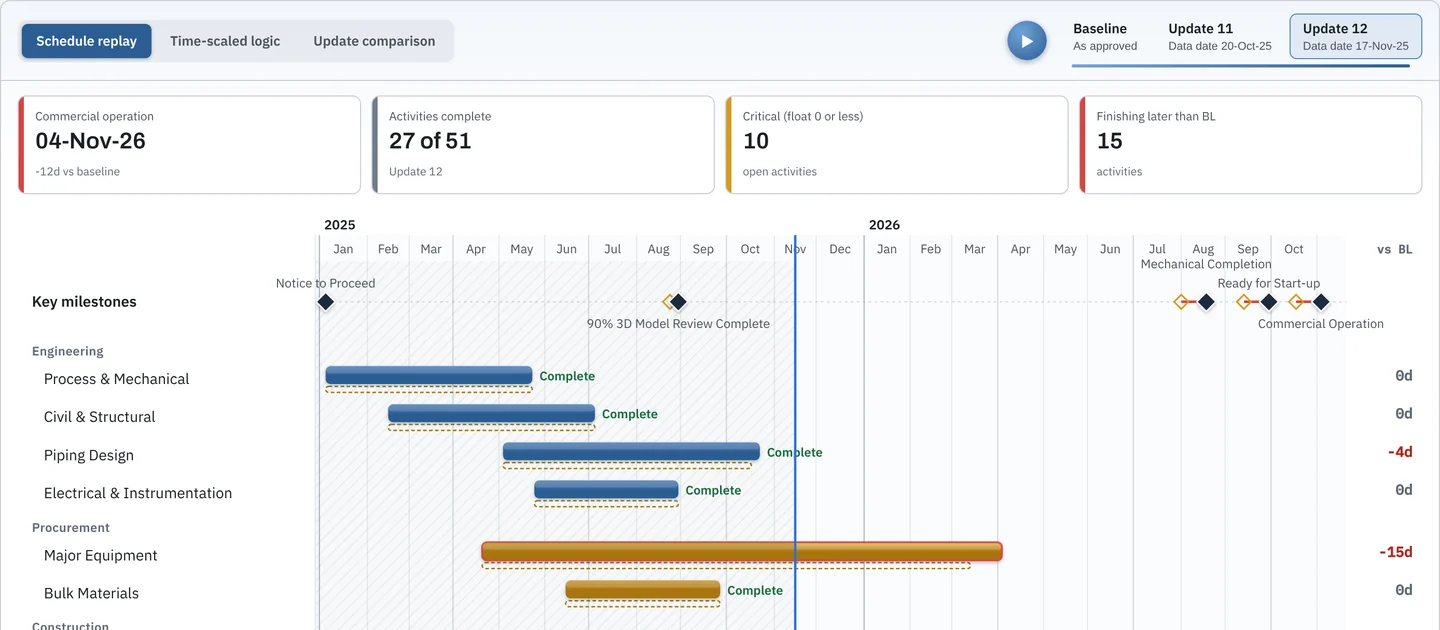
- Open the Interactive P6 Schedule demonstrationThe full synthetic schedule in the P6 Activities layout: Activity ID and status first, then area, discipline, BL, BL1 and BL2…
- Open the Schedule Quality & Logic demonstrationQuality checks on the update, then the driving path traced from the late delivery to the milestones, with the root cause stated.
- Open the Schedule Health and DCMA 14-Point demonstrationThe weekly quality checks (missing logic, open ends, hard constraints, high and negative float, long durations, out-of-sequence…
- Open the Critical Path Analysis demonstrationIntegrated schedule for the key activities beside the milestone forecast against BL1, with the driving path through three…
See it on your own schedule
A live demonstration walks through this work with you, on the reports above or on your own schedule export.
Questions clients ask
What does a schedule health check evaluate?
Missing logic and open ends, hard constraints, high and negative float, relationship types, leads and lags, out-of-sequence progress and actual dates after the data date. Each count is listed down to the activity behind it.
What is the difference between BL, BL1 and BL2?
BL is the locked original baseline. BL1 is the previous update and BL2 the current update. Prior Period Variance is BL minus BL1, Current Period Variance is BL minus BL2, and Period-over-Period Variance is BL1 minus BL2, in working days; negative means later.
Can a recovery schedule be shown without changing the approved schedule?
Yes. Recovery options are scheduled again through the logic network as labeled scenarios, so the approved update stays as reported and each option shows the working days it returns.
Discuss your project
Every service is billed at the same hourly rate. See pricing, call 713-303-7576 or send a project request.